When routing Telegram traffic through mobile proxies, the decision is frequently simplified down to price and whether an IP address can rotate. For a single account running intermittent tasks, that simple criterion may suffice. However, when orchestrating dozens or hundreds of accounts, operational risk increases exponentially.
You must evaluate who else shares the hardware, how often the mobile carrier reassigns the public IP, how long critical tasks execute, and whether an unexpected disconnection will invalidate an active session or trigger anti-spam flags.
A shared mobile proxy and a dedicated mobile resource differ fundamentally in architectural isolation and user control. A shared proxy serves multiple customers concurrently over the same cellular uplink, while a dedicated modem is reserved exclusively for a single client. Crucially, renting a dedicated modem does not mean the cellular carrier grants a static IP address—mobile networks govern IP allocation dynamically via Carrier-Grade NAT (CGNAT).
Below, we examine the technical trade-offs between shared proxies and dedicated modems, map proxy types to specific automation tasks, and walk through full environment configuration inside Telegram Expert.
1. Shared Mobile Proxy vs Dedicated Modem: The Fundamental Differences
A mobile proxy routes outbound requests through a cellular data network (LTE/4G or 5G). As a result, Telegram's edge servers see the IP address of a major mobile carrier rather than a data center or residential ISP range.
Because cellular carriers rely on CGNAT to share scarce IPv4 addresses among thousands of active mobile subscribers, a single mobile IP is inherently trusted. Platforms cannot easily ban a cellular IP without inadvertently disrupting thousands of legitimate mobile subscribers. However, how you access that carrier connection determines your operational control.
| Feature / Dimension | Shared Mobile Proxy | Dedicated 4G/5G Modem (PXM2) |
|---|---|---|
| Hardware Allocation | Shared among multiple proxy clients | 1:1 dedicated physical SIM card & USB modem |
| Bandwidth & Throughput | Divided across concurrent user workloads | Full dedicated modem line throughput |
| IP Rotation Control | Periodic or shared timer; no exclusive rotation | On-demand via API, forced manual, or timed sticky intervals |
| External Neighbor Noise | Other users may trigger site rate-limits on the IP | Zero neighbor noise; 100% of outbound traffic is yours |
| Parallel Operations | High concurrency across large shared pool | Limited to 1 modem channel (requires multiple modems to scale parallel requests) |
| Optimal Use Case | Data scraping, channel discovery, quick checks | Account registration, account warming, long-term chat operations |
Shared Proxy: Shared Hardware & Cost Distribution
In a shared model, proxy infrastructure costs are distributed across several clients. This reduces the entry price and grants access to genuine carrier IP ranges without renting standalone hardware.
The primary trade-off is lack of control. You cannot dictate the behavior or traffic volume of other users sharing the same uplink. While a shared proxy does not automatically cause Telegram restrictions, third-party workloads create background noise on the shared IP. For short, independent operations where connection resets are inconsequential, shared proxies remain a cost-effective solution.
Dedicated Modem: Exclusive Hardware Isolation
With a dedicated mobile setup, a physical SIM card and modem are allocated exclusively to your project. No other client traffic passes through that cellular radio.
PXM2 provides dedicated mobile proxies powered by physical 4G and 5G enterprise hardware modems, allowing users to select target countries, cellular carriers, and granular IP rotation intervals.
2. Matching Mobile Proxy Architecture to Telegram Tasks
Choosing between shared and dedicated resources depends entirely on workflow characteristics rather than subscription names.
When a Shared Mobile Proxy Is Sufficient
If operations are decoupled and stateless, an unexpected IP change does not jeopardize task progress. Shared mobile proxies excel when:
- Actions are independent (e.g., gathering public channel metrics, scraping chat logs, resolving usernames).
- Task failure from an IP reset does not require re-authorizing the account.
- Budget constraints prioritize high connection volume over connection isolation.
- Your tool operates in read-only mode without account session persistence.
Long-Running Account Operations: Why Connection Predictability Matters
When maintaining aged, warmed accounts or running long-duration direct messaging sequences, the network link becomes a critical state variable. An erratic IP swap during an active authorization handshake can trigger security checkpoints or account terminations.
Telegram tracks active sessions across devices. When an account registers from a new device or unfamiliar environment, the platform flags the authorization and records the network identity in its session ledger.
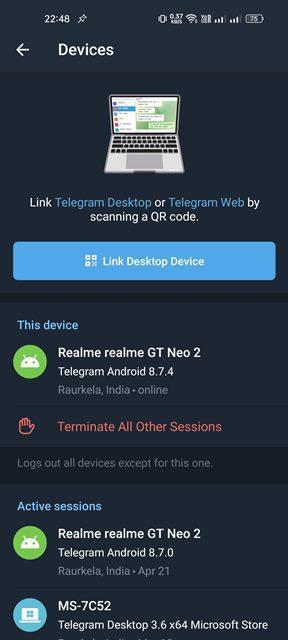
Changing the proxy by itself does not terminate an existing authorization or initiate a fresh login. The network transport layer and the account session token are decoupled. However, maintaining connection stability on dedicated cellular hardware ensures session integrity and minimizes security alerts.
3. Telegram Expert: Centralized Multi-Account Environment
Managing five Telegram accounts manually in browser windows or desktop clients is manageable. Managing fifty to five hundred accounts requires end-to-end automation software that integrates session files, device emulation, and proxy routing in a unified interface.
Telegram Expert (Telegram Soft Expert) is purpose-built for comprehensive account lifecycle management, covering registration, warming, audience extraction, and bulk interactions.

Binding Proxies to Account Records
A proxy connection cannot operate in isolation from account profiles. In Telegram Expert, network endpoints are mapped directly to account databases, allowing you to configure static bindings or assign accounts to dynamic pools.
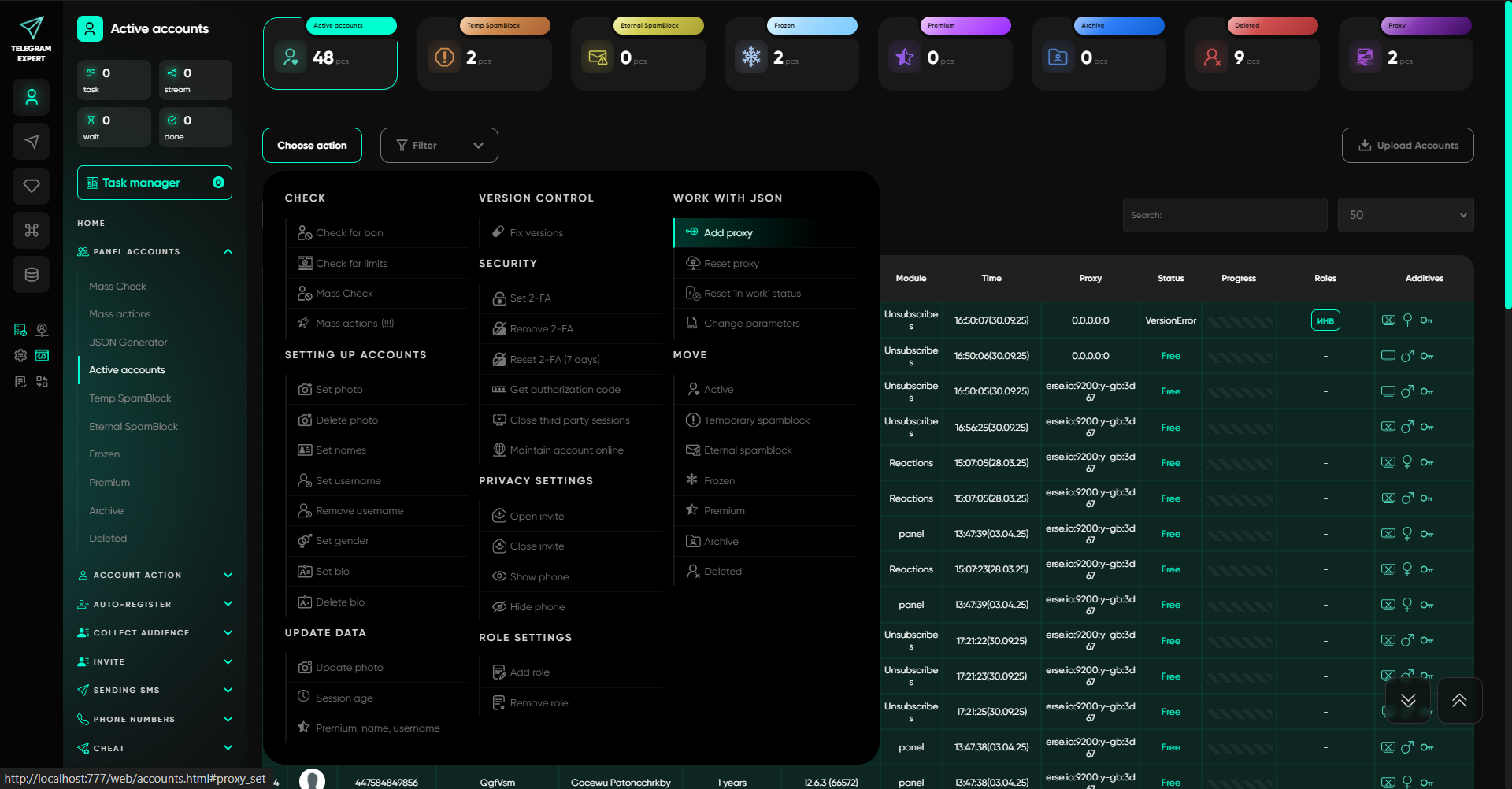
Validating Connections & Detecting Duplicate IPs
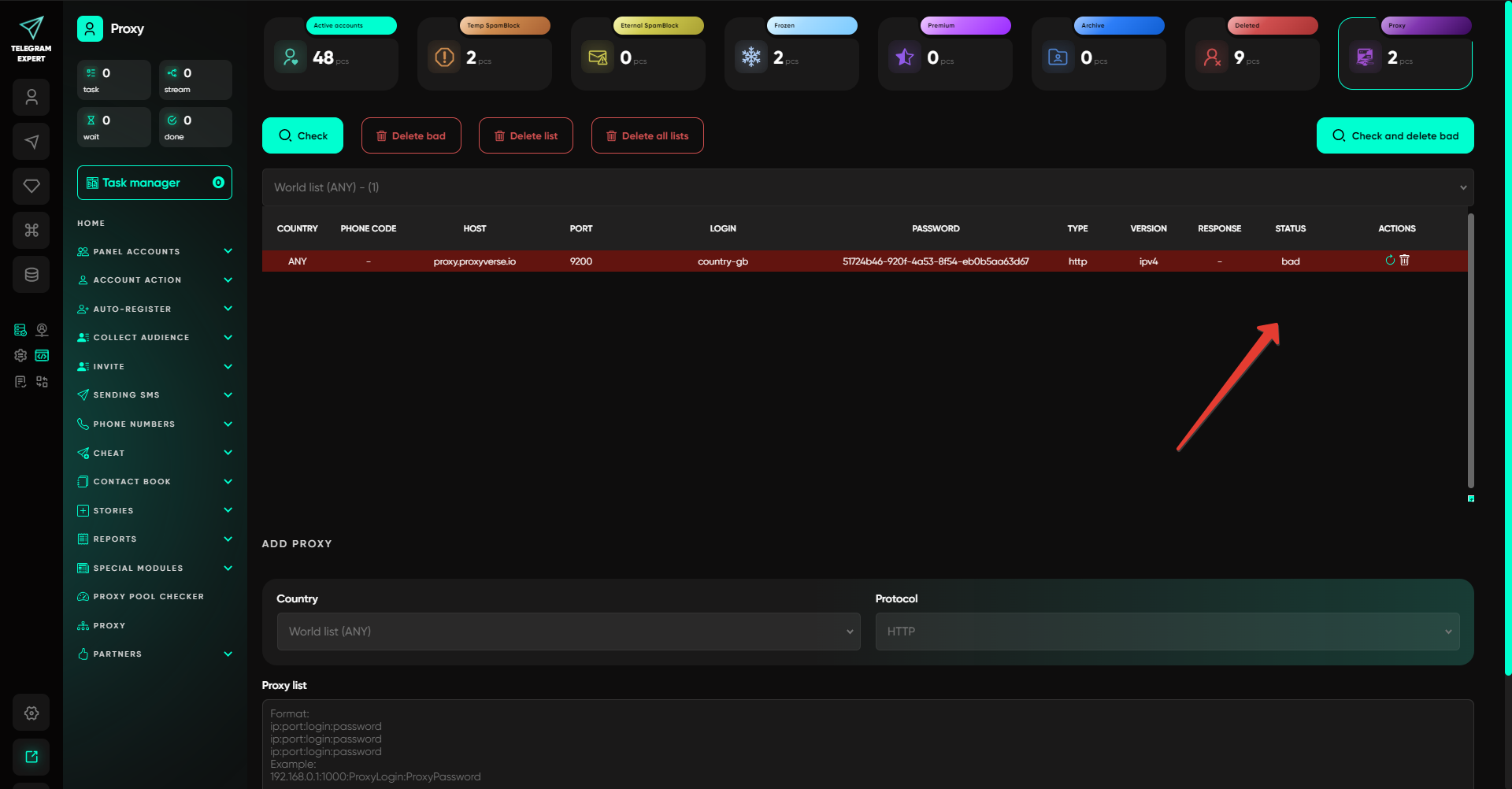
Before launching high-volume campaigns, connections must be verified for response latency, protocol health, and external IP uniqueness. If multiple proxy credentials resolve to the same underlying public carrier IP, accounts risk cross-contamination.
4. Automating Account Operations Beyond Proxy Management
High-trust proxies provide network stealth, but software modules execute the business logic. Telegram Expert incorporates dedicated modules for each operational phase.
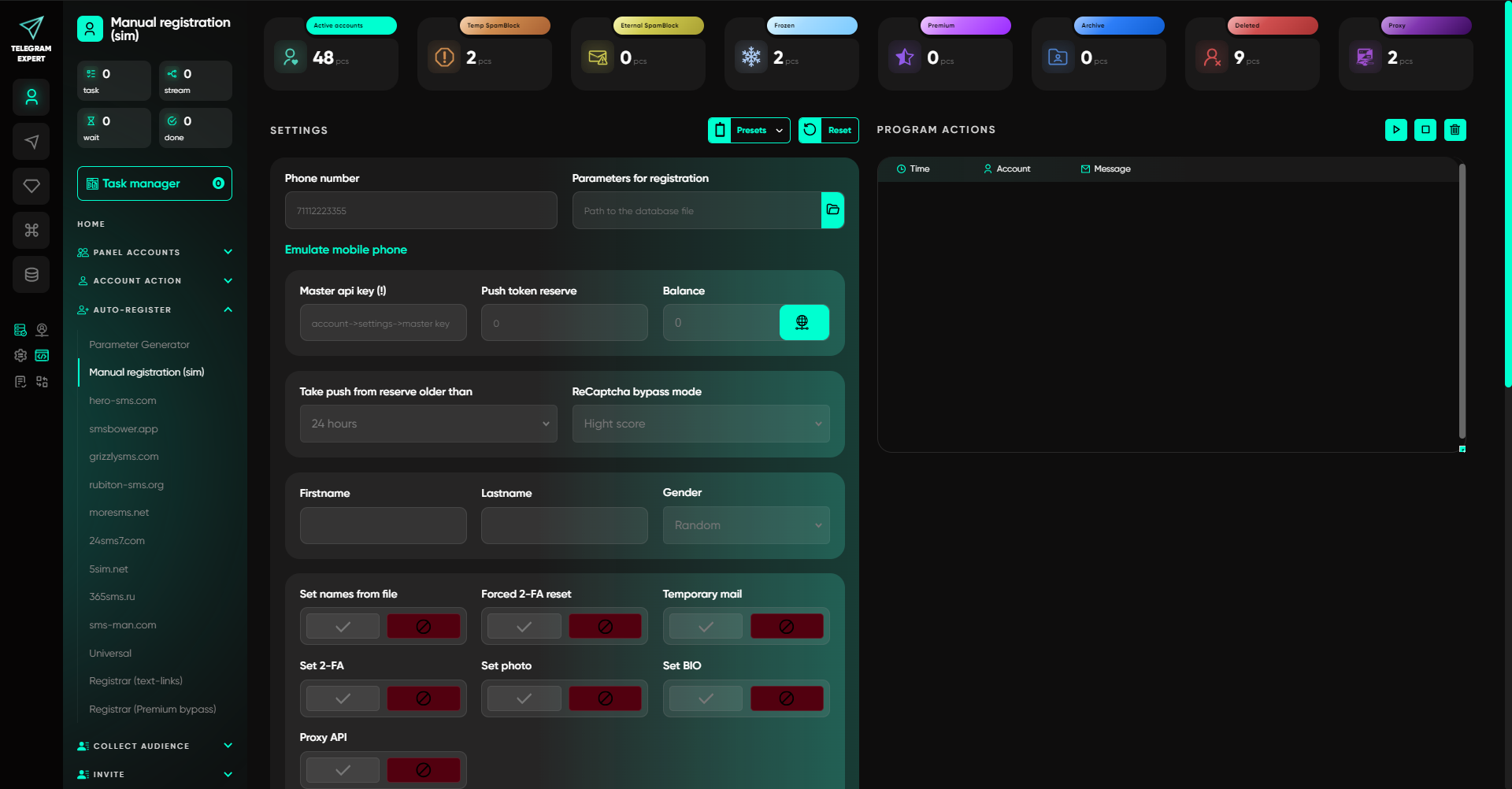
Account Registration & Mobile Emulation
Registering accounts requires virtual or physical SIM integrations, ReCaptcha bypassing, and realistic device fingerprint emulation.
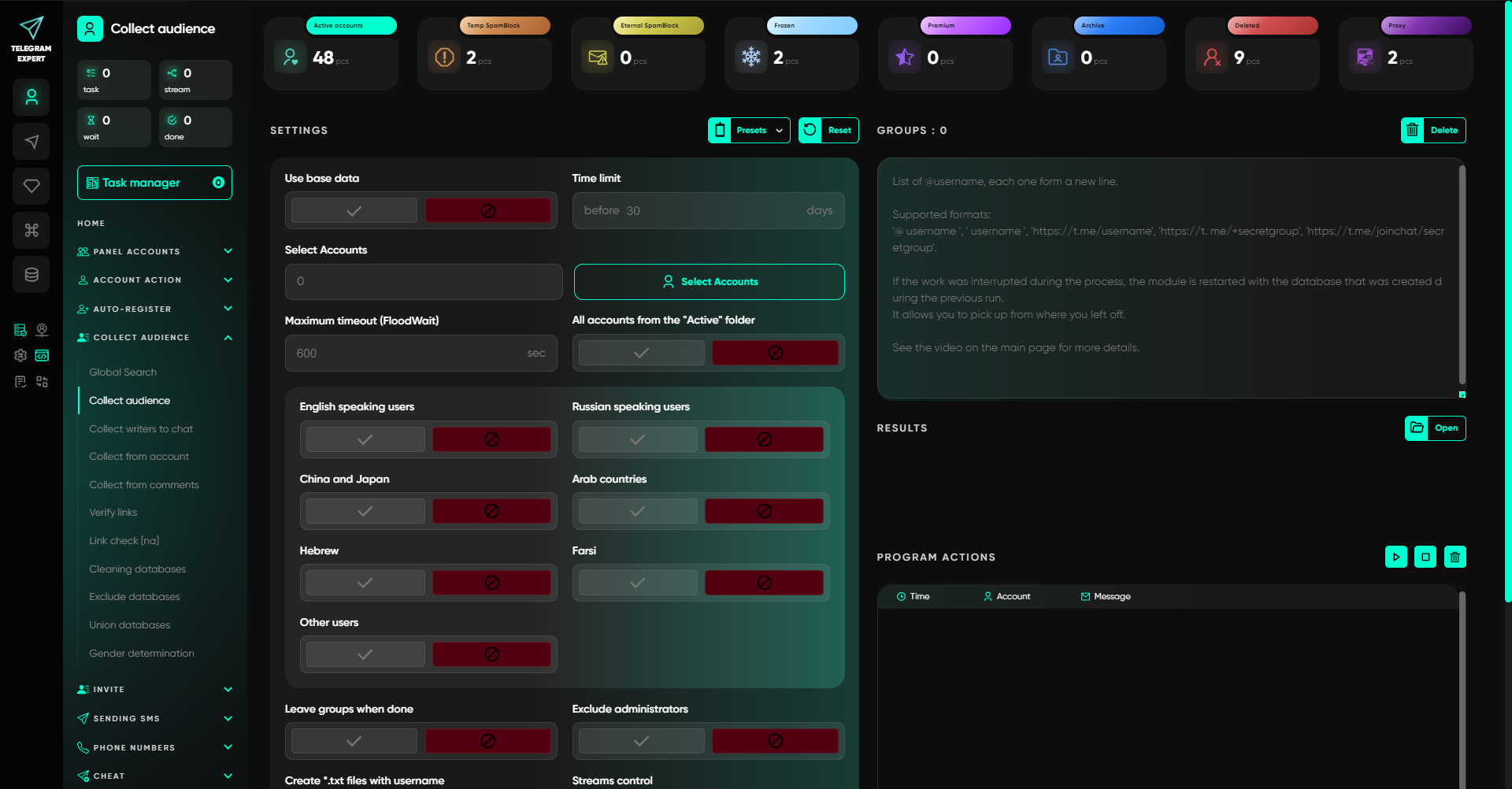
Audience Collection & Filtering
Targeted outreach begins with harvesting active group members, filtering out inactive bots, and segmenting prospects by spoken language or timezone.
Bulk Inviting & FloodWait Management
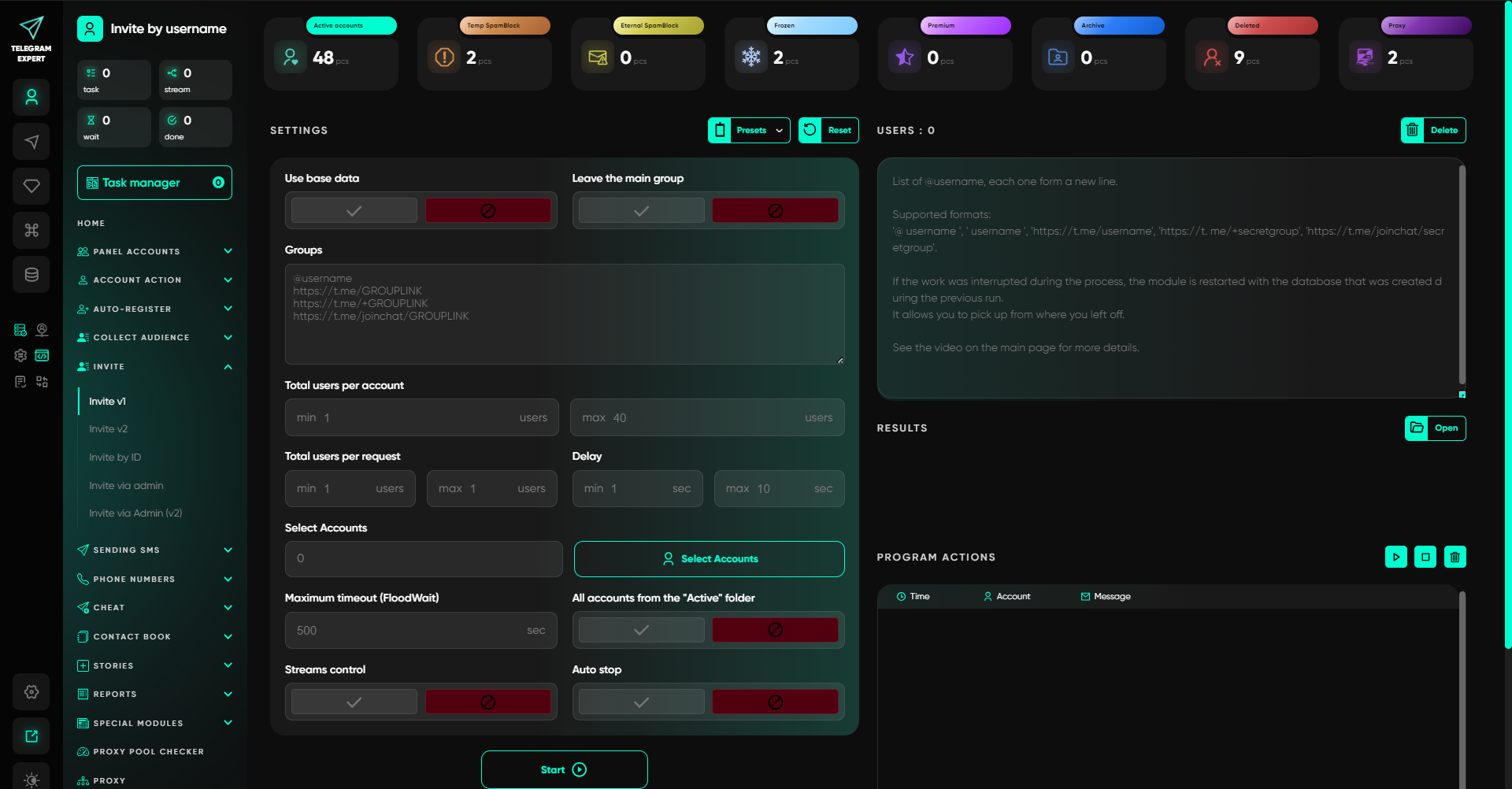
Adding users to communities requires stringent rate-limiting to avoid Telegram's PeerFlood and FloodWait penalties.
5. Account Session Duplication & Migration Protocols
Migrating working accounts across different environments or converting session formats (such as Session to Tdata) requires careful isolation. Simply re-entering credentials through a new proxy does not carry over existing authorizations.
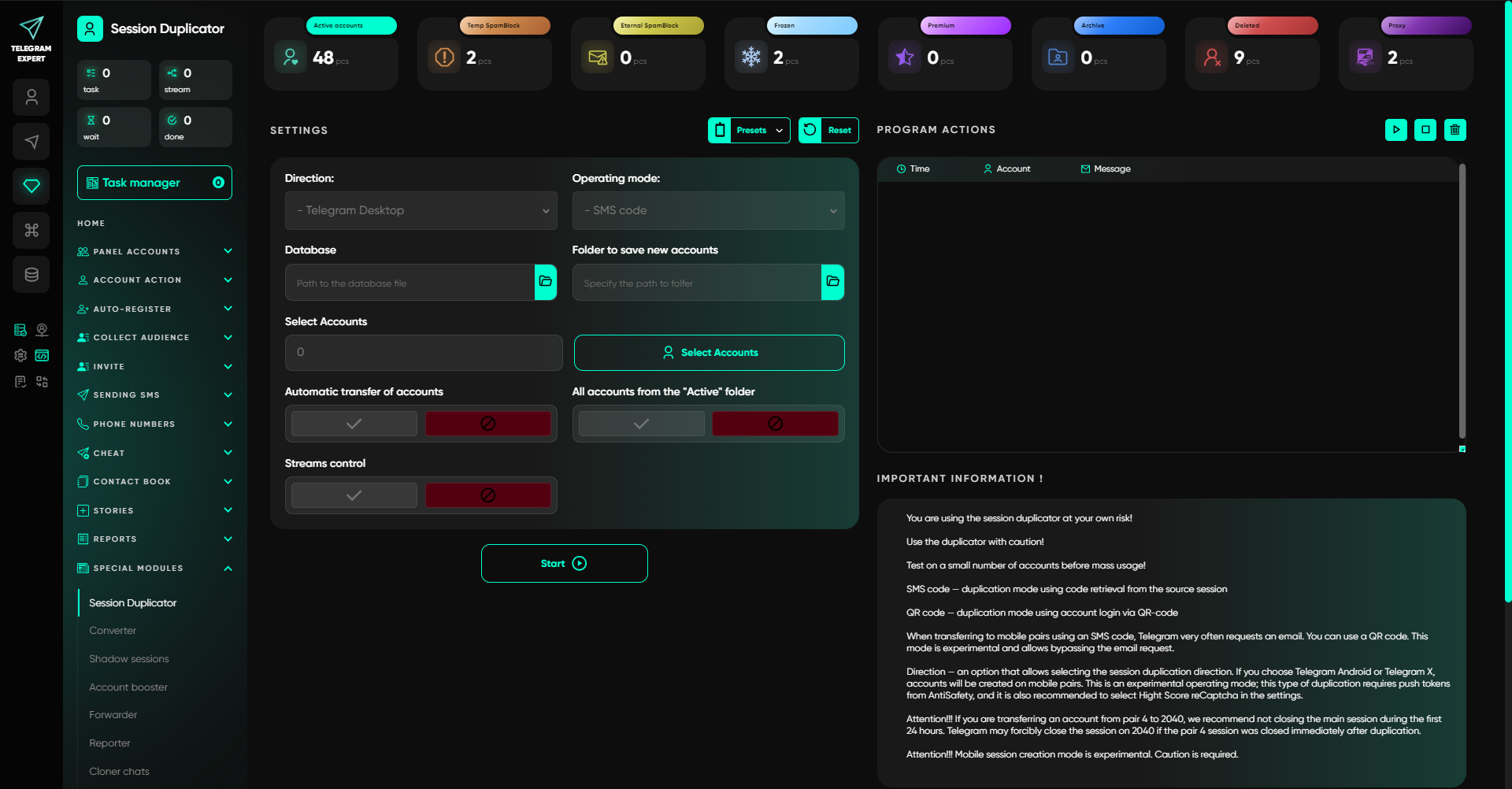
Always decouple the network check from the authorization check. Test your proxy connectivity first, verify that your IP is healthy, and only then instantiate the new session authorization.
6. Step-by-Step: Configuring PXM2 Mobile Proxies in Telegram Expert
PXM2 delivers carrier-grade mobile proxies over HTTP and SOCKS5 protocols with native IPv4 compatibility. Follow this structured protocol to configure endpoints:
-
Select Proxy Architecture on PXM2
Determine whether your workload requires a dedicated 4G/5G hardware modem (recommended for account farming and messaging) or a shared mobile proxy pool (for scraping and link verification).
-
Choose Country & Cellular Carrier
Match your proxy location to your account phone number region (e.g., US, UK, France, Spain) to maintain geographic consistency across IP and session metadata.
-
Retrieve Connection Credentials
Obtain your IP/Host, Port, Username, and Password in the standard format (
IP:Port:User:Pass) and verify that IPv4 mode is selected. -
Import & Validate in Telegram Expert
Navigate to Proxy > Add Proxy, paste your credential string, and run the built-in connectivity check to confirm low response latency and HTTP 200 responses.
-
Configure Auto-Failover & Rotation Parameters
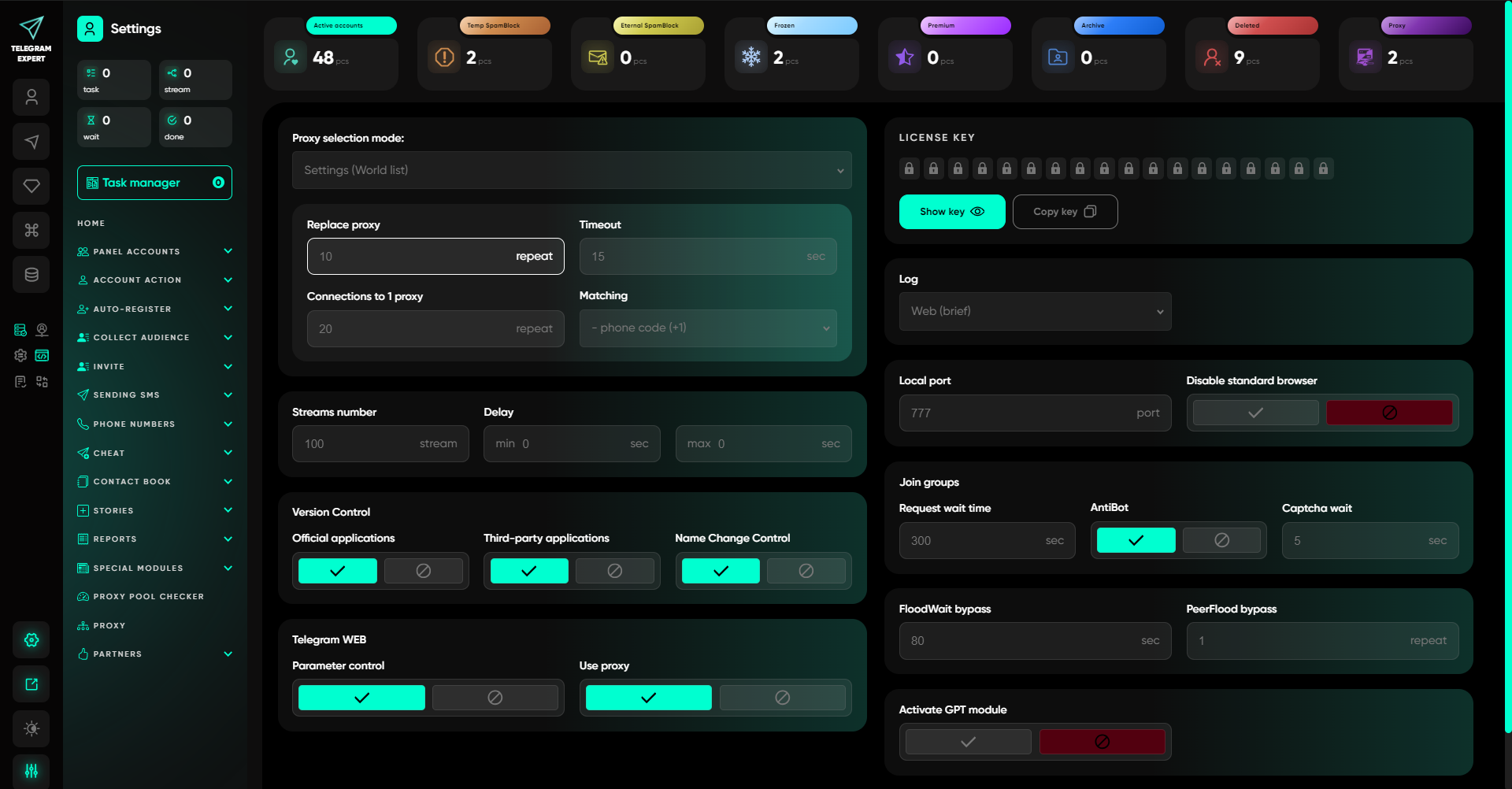
Under software settings, set the proxy timeout limit (e.g., 15 seconds) and define auto-replacement thresholds so failed connections switch seamlessly without stalling the stream.
-
Execute Staged Pilot Test
Assign the proxy to 2–3 pilot accounts, execute routine operations (dialogue checks, profile updates), verify log outputs, and only then scale to your full account database.
Frequently Asked Questions
Why do I need a dedicated modem if the mobile IP is shared by the carrier?
A dedicated modem ensures you do not share physical commercial hardware, bandwidth, or IP rotation commands with other proxy service customers. The public carrier IP is still allocated dynamically via cellular CGNAT, ensuring authentic mobile traffic characteristics without neighbor interference.
Does a dedicated mobile proxy keep the same IP address indefinitely?
No. Dedicated hardware and static IP addresses are distinct technical attributes. Cellular carriers regularly rotate public IPv4 leases during radio renegotiation. If your task demands a strictly static address, that requirement must be evaluated separately from hardware exclusivity.
Is a shared mobile proxy inferior to a dedicated modem?
No, it serves a different cost-to-performance profile. Shared mobile proxies reduce infrastructure overhead for stateless, high-volume tasks such as channel scraping and data verification where dedicated line control is unnecessary.
Can PXM2 mobile proxies be used with Telegram Expert?
Yes. PXM2 supports standard HTTP and SOCKS5 protocols with full IPv4 compatibility, which integrate natively with Telegram Expert's proxy manager and multi-stream engine.
How many accounts can run on a single mobile modem?
There is no rigid universal limit. For lightweight warming operations, multiple accounts can be scheduled sequentially. For heavy concurrent operations, one active account per dedicated channel at any given moment is recommended. Always validate stability with a small pilot cohort first.
Should I rotate the IP address after every Telegram operation?
No. Frequent, rapid IP changes during an active account session are unnatural and can trigger security re-verification. Maintain sticky connections for persistent account sessions, and utilize rotation for decoupled batch operations.
Does changing the proxy terminate an existing Telegram session?
No. The proxy manages the network transport layer, while Telegram authorizations are governed by session encryption keys. Changing your proxy changes your egress IP, but the session remains valid until closed in the device settings.
Conclusion
Choosing between shared and dedicated mobile proxies is an architectural decision based on task duration, session criticality, and budget. Shared proxies optimize cost for stateless bulk tasks, while dedicated 4G/5G hardware modems provide the exclusive control and connection stability required for sustained multi-account operations.
By pairing PXM2's dedicated physical modems with the management features of Telegram Expert, operators establish a resilient infrastructure layer that isolates sessions, automates workflows, and protects valuable account assets.